|
|
|
Welcome to your Studio Insiders' newsletter
|
|
|
|
|
|
|
|
Hi Insiders!
|
|
Something I learnt (or learned, if you prefer) a long time ago during my years as a school teacher is that teaching doesn't work. Not for most students anyway. Learning happens when we develop confidence, encourage curiosity, liberate creativity, and have someone near at hand to answer questions, explain why mistakes happened, and demonstrate alternatives and improvements. Unfortunately school teachers usually don't have the luxury of working with their students in this way. I certainly didn't, which is why I didn't remain a school teacher for long, but I did remain in the world of education and all along the winding path I've followed from science to watercolor I've done my best not to 'teach' anyone anything. Including in my YouTube tutorials!
|
|
|
But all of the best 'rules' are made to be broken, and this New Year we've decided that it's time to create some short information-packed videos to help beginners and improvers to find the information they need more effectively.
|
|
|
|
|
|
|
|
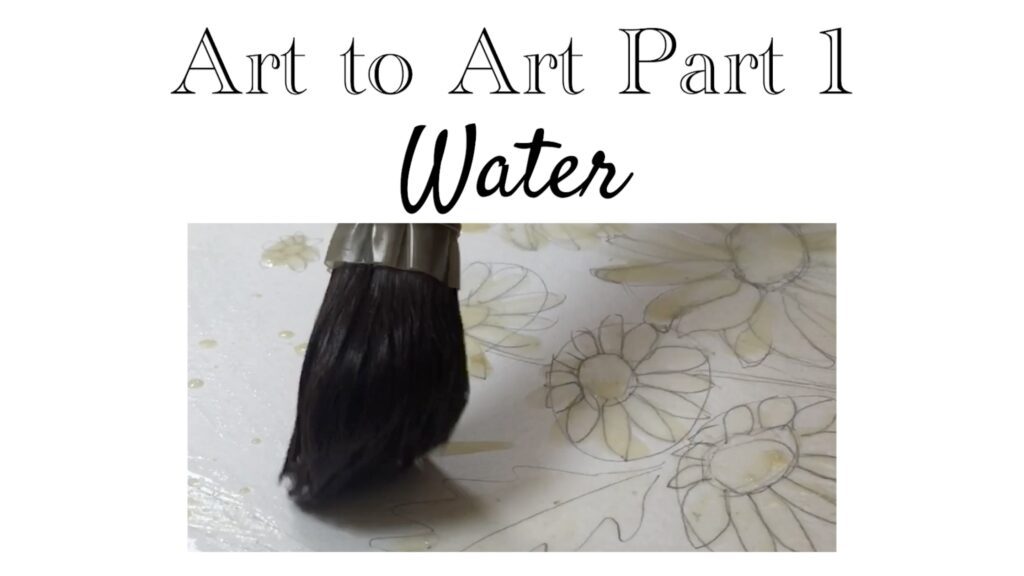
Our new series is called "Art to Art: Tips to Develop Your Watercolor Painting" and it starts with a 13 minute video on the often under-appreciated role that water plays in watercolor painting. Part 2 will cover paper, then brushes, then paints, and then on to techniques and more.
|
|
|
If you've watched all of my free YouTube tutorials and remember everything I've said and shown, you probably won't find any new information in the Art to Art series. (If you HAVE watched all of my tutorials by the way, send me an email. I'd like to give you a gift!) But my goal is to create an easy jumping off point for new watercolorists who would like to know what I do and why I do it that way.
|
|
|
Why are we doing this now? It has a lot to do with the exponential increase in the amount of misinformation, disinformation and straight-up lies being published every day on every platform, and even in printed books, for all the wrong reasons. We are seeing how it's affecting people's confidence to be surrounded by so much confusion, and we want to help in our own small way.
|
|
|
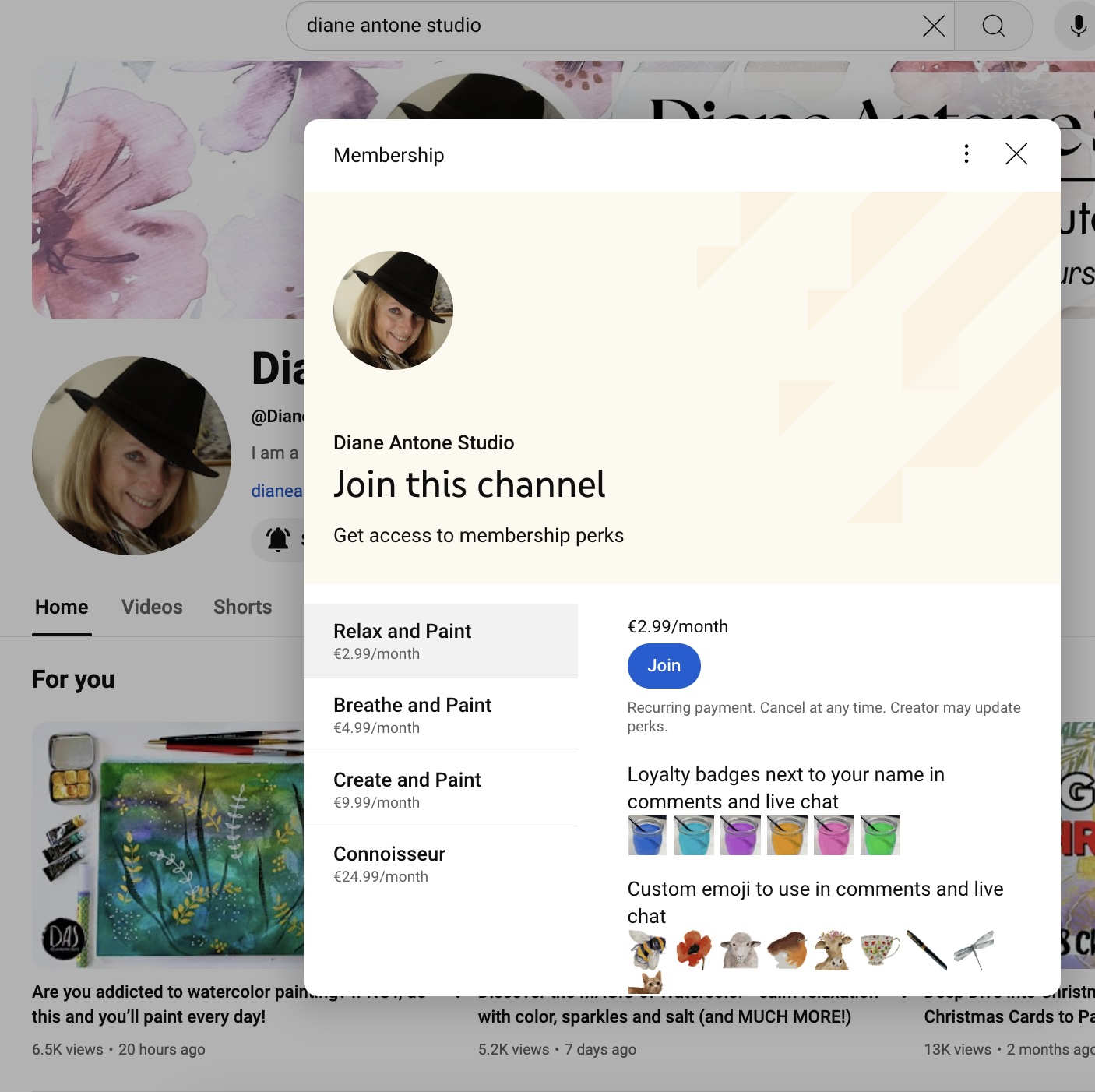
We have plans to make these videos available in multiple places, but we're starting by making them available to YouTube Channel Members of all tiers. If you're a member already you can view Part 1 by clicking the link above, and Part 2 will be along soon. If you're not a member you can find out about membership tiers below!
|
|
Have you considered becoming a member?
|
|
|
|
Our YouTube-radar tells us that YouTube plans to place more and more emphasis on the community aspect of YouTube, so we're expecting the number of members to matter more and more to every channel's success in the future.
|
|
|
If you have a few dollars a month to spare and would like to help us to stay relevant in the algorithm's increasingly complex mind, becoming a member of the bottom tier is a VERY helpful way of doing so.
|
|
|
|
|
We are deeply and profoundly grateful to each and every one of our members, and of course our Patrons too - for your support, trust and confidence in us.
|
|
|
|
|
|
|
|
Got your
Studio Insiders Pass
yet?
|
|
|
|
If you do know what I'm talking about but it wasn't working for you when you tried last month, please try again. It shouldn't be broken anymore!
|
|
|
|
|
|
|
|
Once you've bought the pass, new website features will automatically be activated!
|
|
Here's how you use your new Studio Insiders Pass to download a sketch:
|
|
|
|
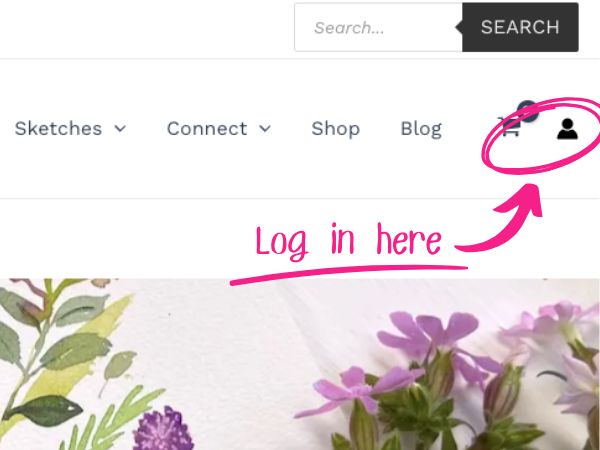
Step 1
Make sure you’re logged in
|
If you're logged in it will take you to your account details.
|
|
If you're not logged in it will prompt you to log in.
|
|
|
|
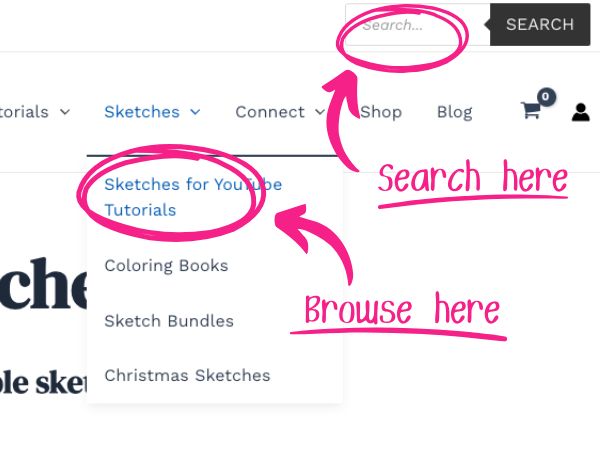
Step 2
Find the sketch you want
|
There are lots of ways of getting to the sketches. You can click a link in a video description, you can browse the sketch library, or you can use the website search tool, but once you've found it DO NOT put it in the basket.
|
|
|
|
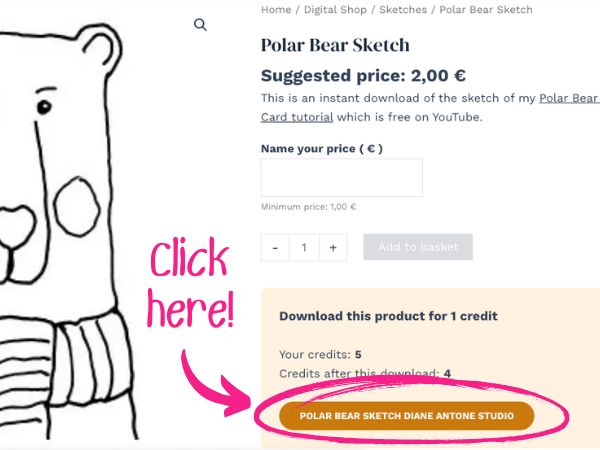
Step 3
Click to download
|
All you have to do is click the coloured button!
|
|
|
|
|
|
Having Trouble Making it Work?
|
|
We've put answers to the two most common questions below, but if you have any questions or problems we haven't answered please send us a message using our contact form.
|
|
Q. I don't see the button. What do I do?
|
|
A. If you don’t see the coloured rectangle, either you’re not logged in, or you're logged in to the wrong account, or you haven’t bought the Studio Insiders Pass, or you’ve used up all of your credits for this month.
|
|
Q. I've clicked the button. Nothing happened.
|
|
A. When you click on the coloured button, your sketch will be automatically be downloaded to your device and one credit will be deducted from your balance. Some devices will open the sketch automatically, but others will (rather unhelpfully!) just save it to files or to a downloads folder without showing you the file. If you aren't familiar with where downloads go on your device this can be pretty frustrating, but there's usually some indication of what's happening somewhere on your screen. You might see a popup banner or bar at the top or bottom of the page. Or you might see an animated icon flash or change color to indicate what you click on to open your downloads folder. Keep your eyes open for these popups and icons! If you're really stuck, try Googling "where do downloads go on a ___" or "how do I find downloads on a ___".
|
|
|
|
|
|
|
Thanks for reading, and we hope you enjoyed this edition of the Insiders' Newsletter.
|
|
|
|
|
|
|